A well-trained server suggests extras on a minority of tables. A menu that recommends does it on all of them, and shows you the result. WowMenu suggests the right extra at the right moment, inside the menu itself.
As a guest adds dishes, the menu offers add-ons that go with the dish being ordered, drawn from the pairings you set, plus what is trending tonight. When the order is close to a deal, a slide-up offer appears: a set menu that fits, a combo with one dish missing, a small extra spend to unlock a free dessert, a pairing with a discounted dish, or a member price for a guest who is not signed in yet.
Guardrails stop it nagging. Slide-ups are spaced out, no repeats, and none on the checkout, payment or sign-in pages. Every suggestion is recorded as shown, added or dismissed, so the effect can be measured.
Because every suggestion is tracked, you can measure its effect on your own numbers, and Revenue Impact compares your weeks with your own baseline. We do not publish uplift figures as customer results. Slide-up offers are included from the Menu plan.
Four moments where the menu sells, and the rules that keep it polite
Follow one order in the demo restaurant. Its Weekday Lunch Combo gives a free dessert once the basket reaches AED 120.
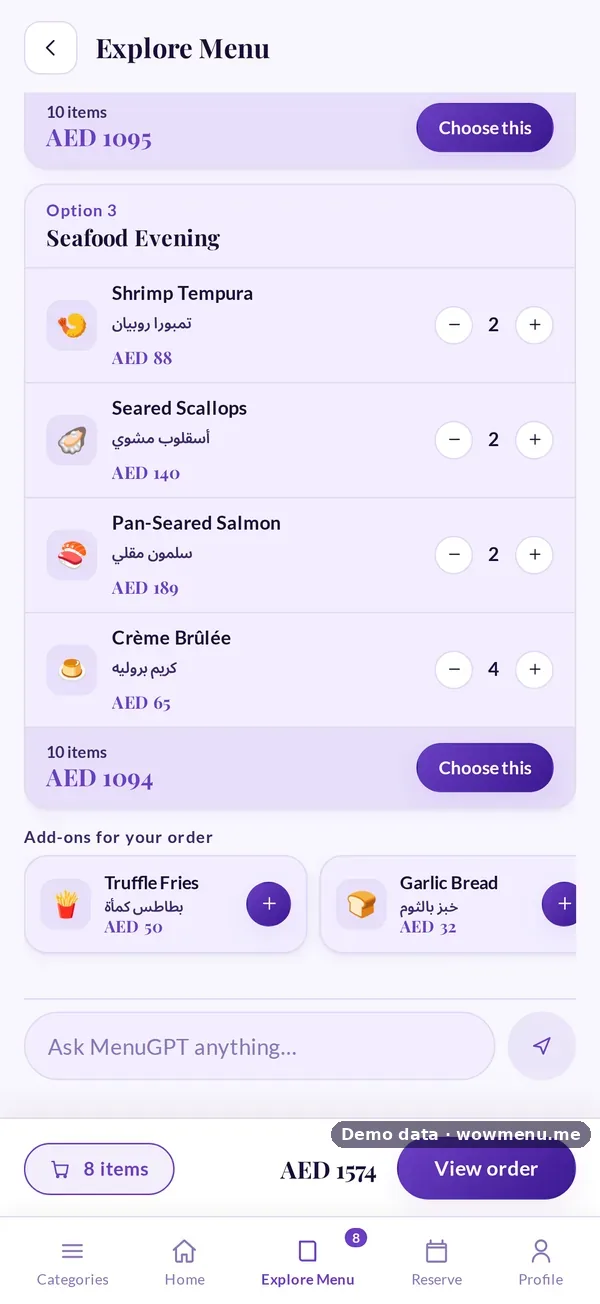
Add-ons that go with the dish, from the pairings you set, plus a Trending tonight row.
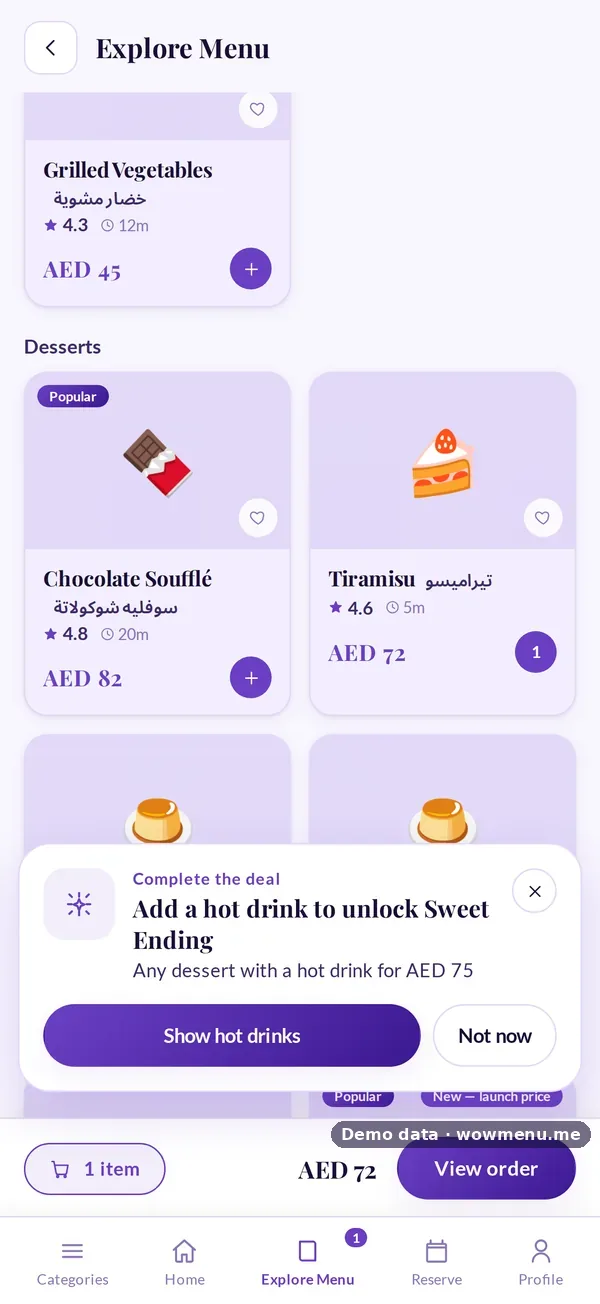
One slide-up: a hot drink completes the Sweet Ending combo.
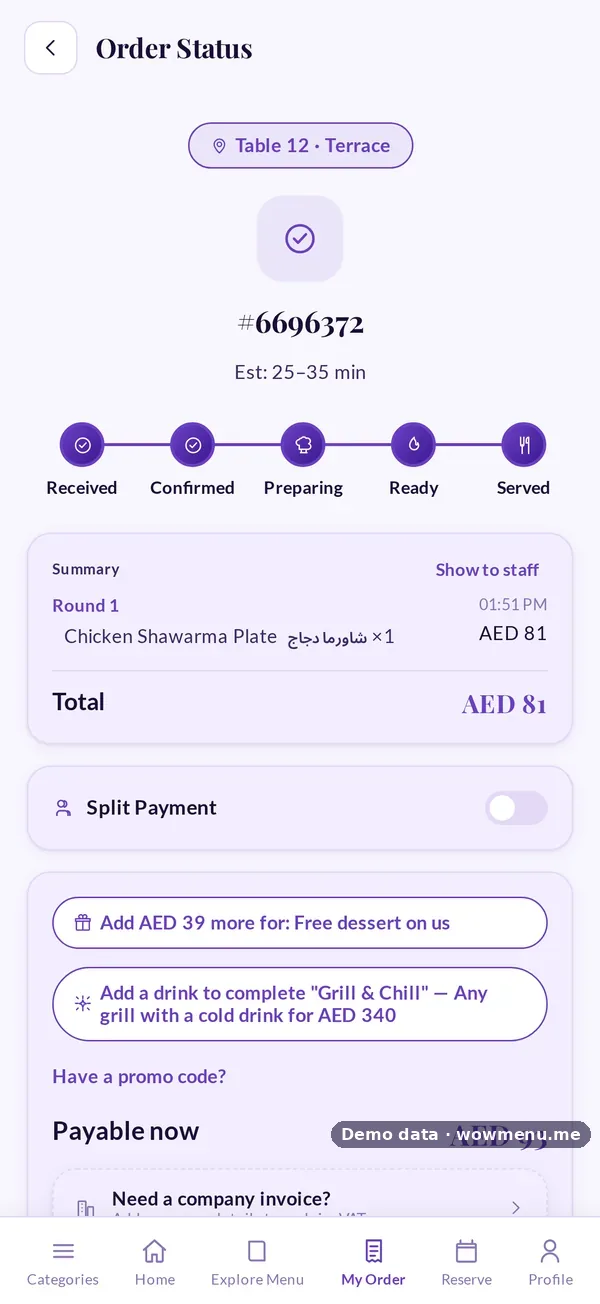
The guest sees how far they are from the reward.
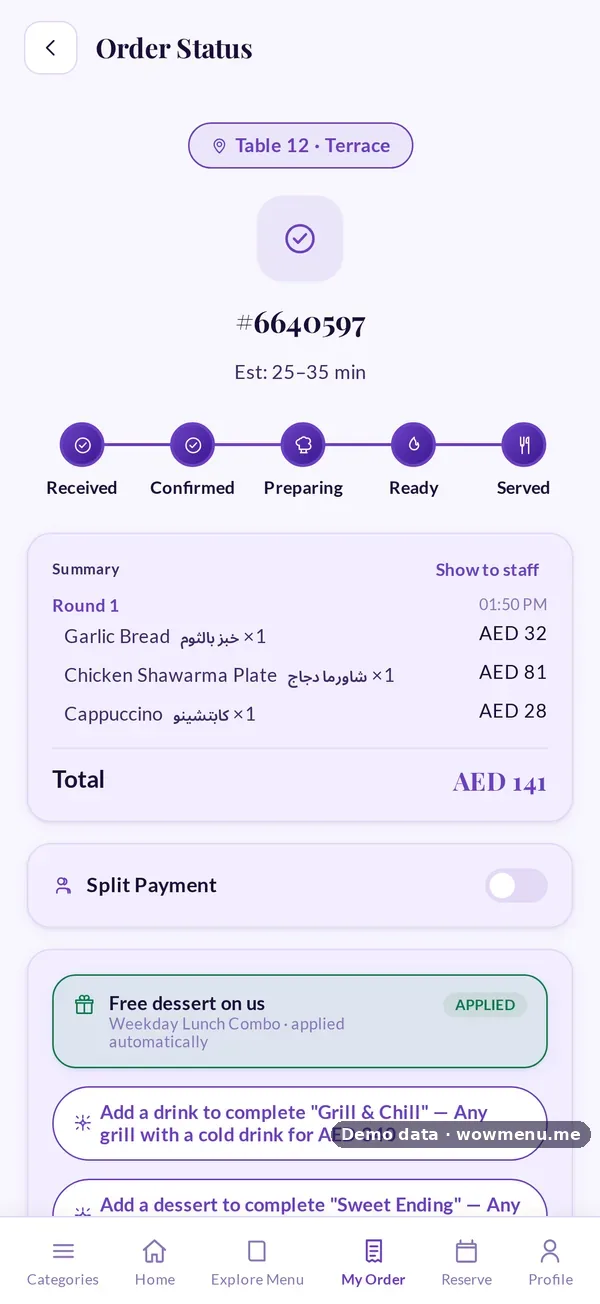
The free dessert is applied automatically. No code to remember.
How it connects
What the owner sets up or sees in the portal, and what the guest sees in the QR menu. Screens are from the demo restaurant, Maison Lumière, with demo data.
The owner sets the offers and pairings, and guests see timely suggestions
Offers created in Campaigns appear as slide-ups when the order is close to a deal. Add-ons that go with a dish appear as the guest builds the order.

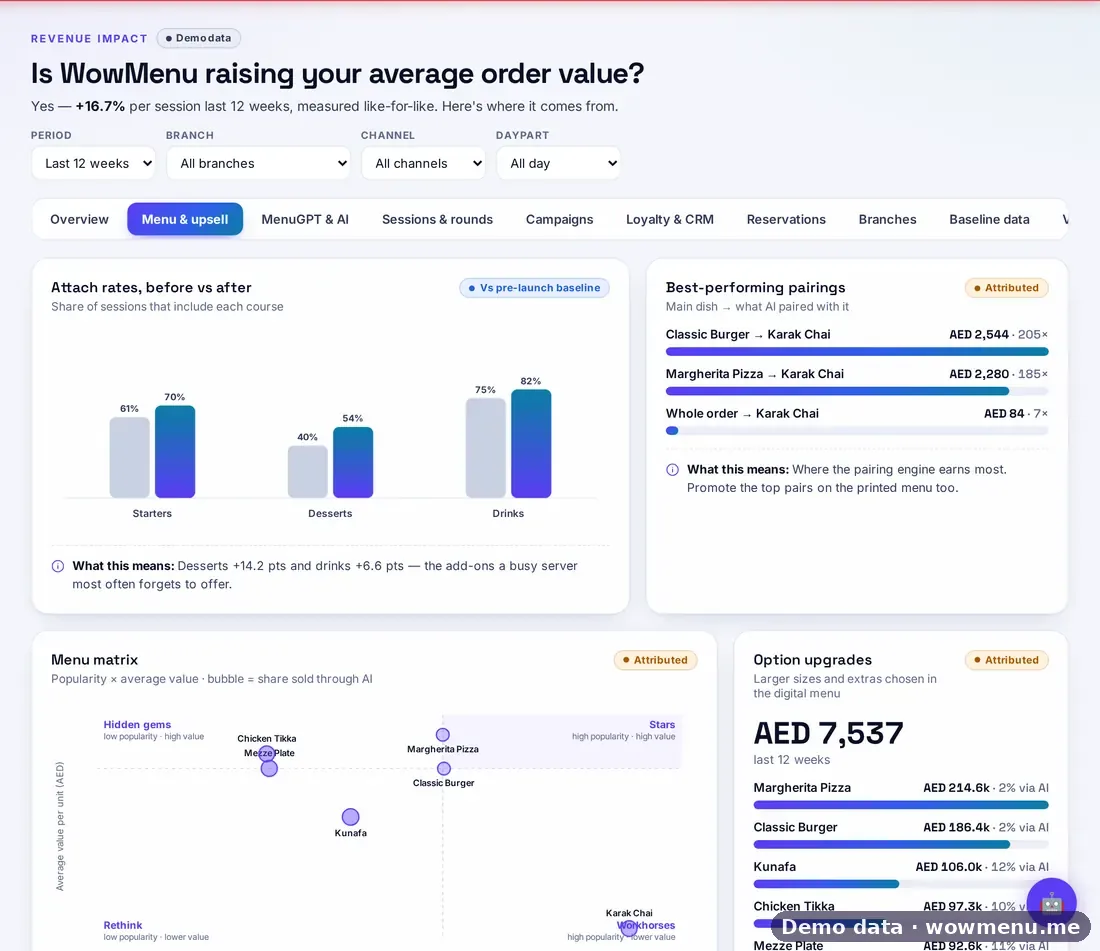
Attach rates and pairings show what worked
The portal shows attach rates before and after, the best-performing pairings and which option upgrades earn the most. At payment the guest also sees what is needed to unlock a reward.
Key benefits
What Restaurant Upselling does for your restaurant
Add-ons and a trending row
Suggestions that go with the dish being ordered, from the pairings you set, plus what is trending tonight.
Slide-up offers at the right moment
A set menu that fits, a combo with one dish missing, a free dessert for a small extra spend, or a pairing with a discounted dish.
Guardrails so it never nags
Slide-ups spaced out, no repeats, and none on the checkout, payment or sign-in pages.
Every suggestion tracked
Shown, added or dismissed, so you can see what each suggestion contributed.
How it works
You set the pairings and offers
Related dishes feed the add-ons, and offers are created in Campaigns, the one place discounts are scheduled, targeted, capped and measured.
The guest adds a dish
The menu shows add-ons that go with it, and what is trending tonight.
A slide-up appears when it helps
When the order is close to a deal, one slide-up offers it, within the guardrails.
You see what happened
Each suggestion is recorded as shown, added or dismissed, and rolls into your analytics and Revenue Impact.
Frequently asked
Can it recommend combos and add-ons?
Yes. Add-ons come from the pairings you set on each dish, combos are built in Campaigns, and the menu shows a slide-up when an order is one item away from a combo or a reward.
What is a slide-up offer?
A short offer that slides up when the order is close to a deal, such as a set menu that fits, a combo with one dish missing, or a free dessert for a small extra spend.
Will it nag my guests?
No. Slide-ups are spaced out, offers do not repeat, and none appear on the checkout, payment or sign-in pages.
How do I know it is working?
Every suggestion is recorded as shown, added or dismissed. Revenue Impact then compares your weeks with your own pre-launch baseline.
Where do I create the offers?
In Campaigns, which is the one place offers are created, so discounts do not leak into the menu where nobody measures them.