Coupons sit inside Campaigns, the one place offers are created, so every discount is scheduled, targeted, capped and measured. Offers can apply automatically when the basket qualifies, or be gated by a code the guest needs.
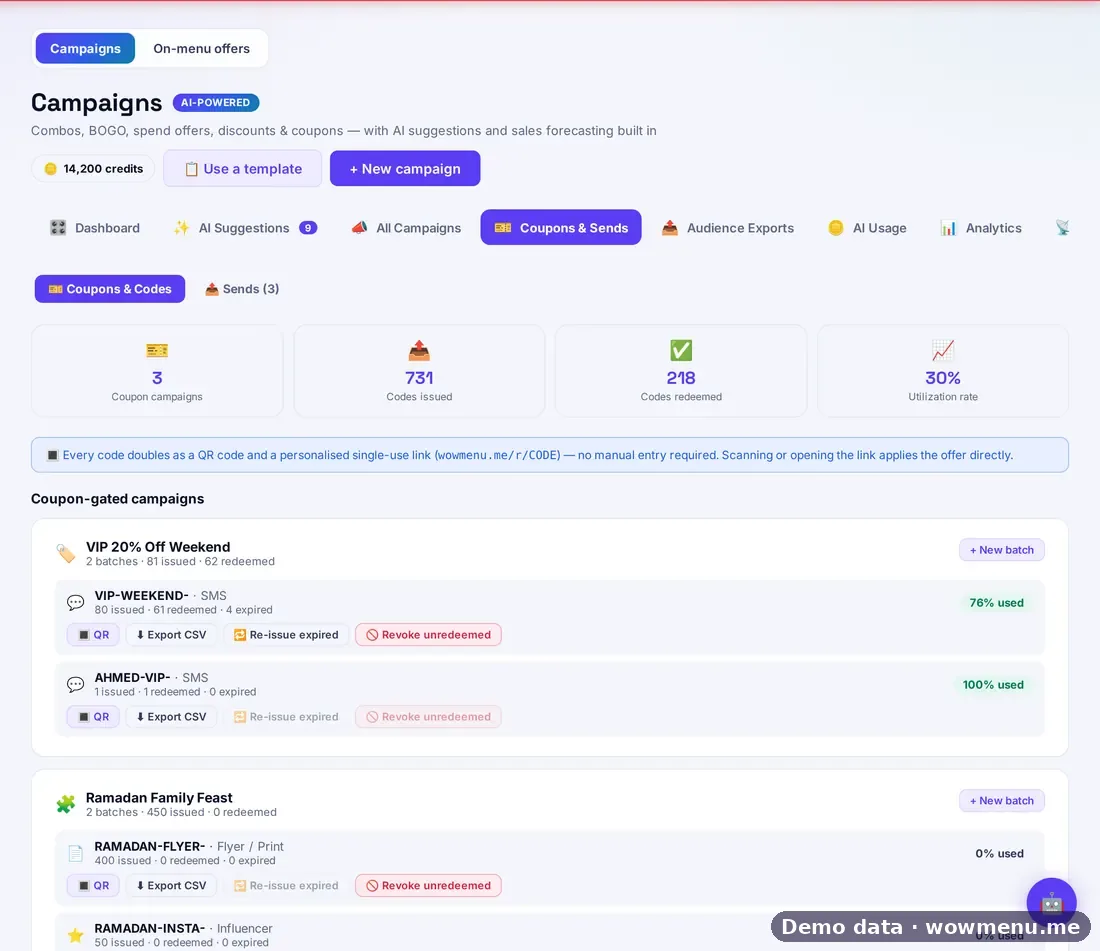
You can generate codes in batches, track each code, revoke codes in bulk and export to CSV. Win-back messages carry their own single-use coupons, and direct distribution runs across seven channels (flyer, social, influencer, SMS, email, partner referral and staff-issued), with a funnel from sent to redeemed.
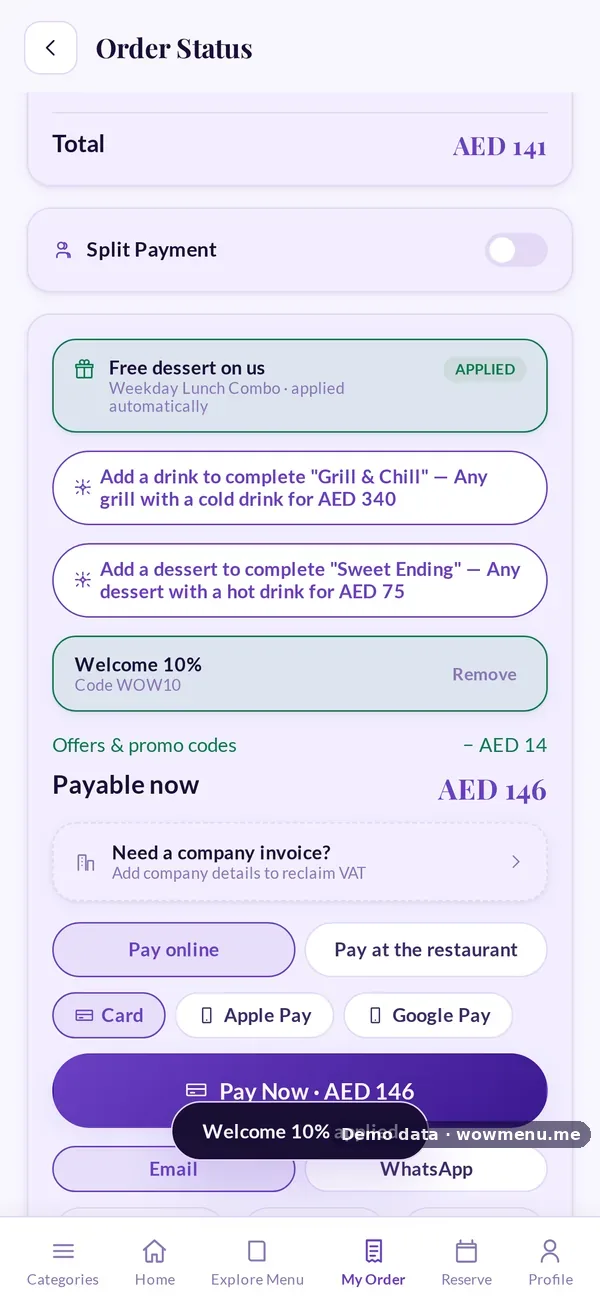
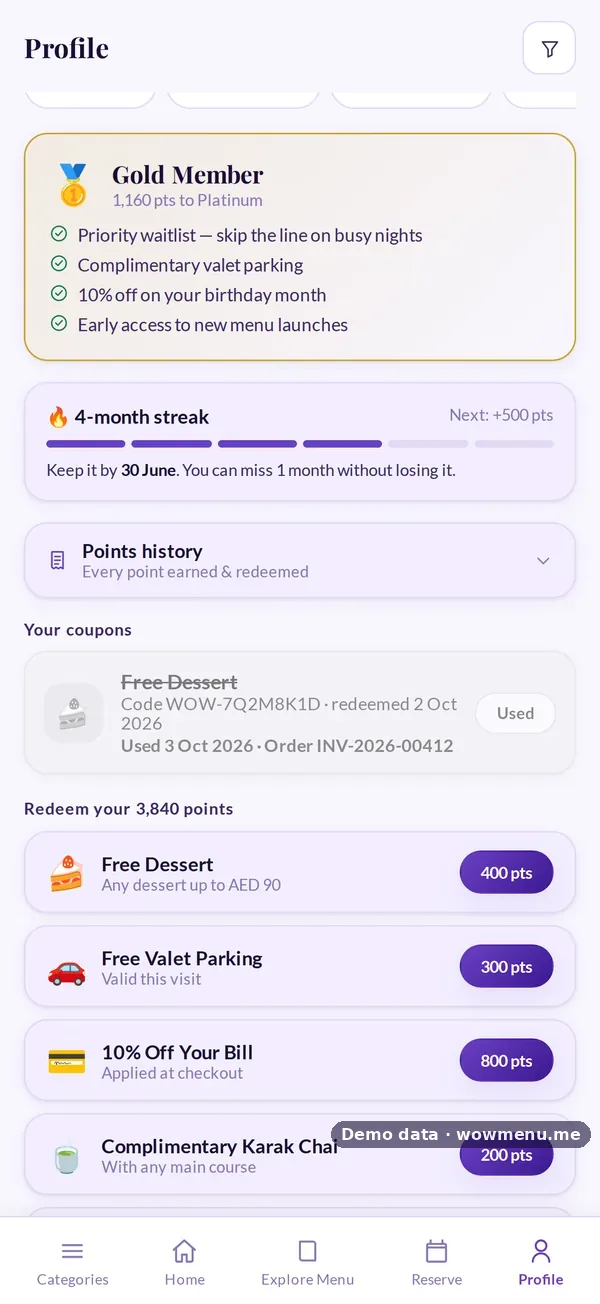
Guests can turn loyalty points into a coupon, apply it at payment and see it marked used, with the date and the order. Offers and promo codes are applied before VAT and service charge.
Distributing coupons is different from advertising. Audience export files for Meta, TikTok, Snapchat and Google are files you upload yourself, not live integrations.
How it connects
What the owner sets up or sees in the portal, and what the guest sees in the QR menu. Screens are from the demo restaurant, Maison Lumière, with demo data.
Create codes, and guests redeem them at payment
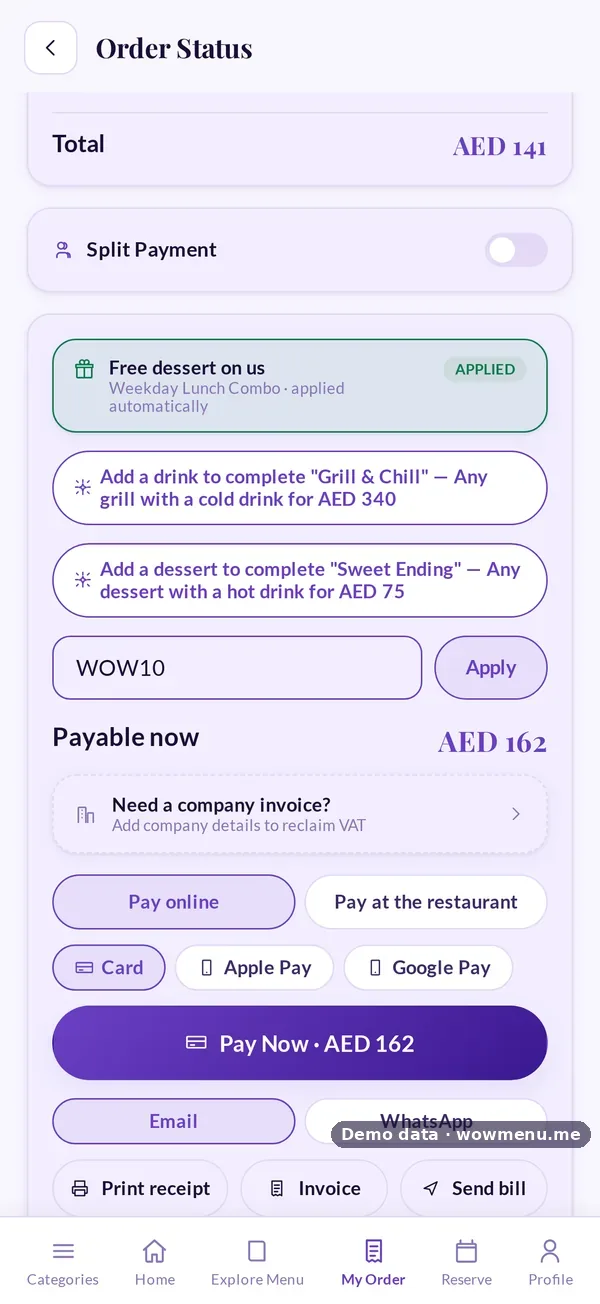
The owner generates codes in batches and tracks each one. Every code also works as a single-use link and QR code. The guest enters a code at payment and sees the discount straight away.
Rewards become coupons in the guest wallet
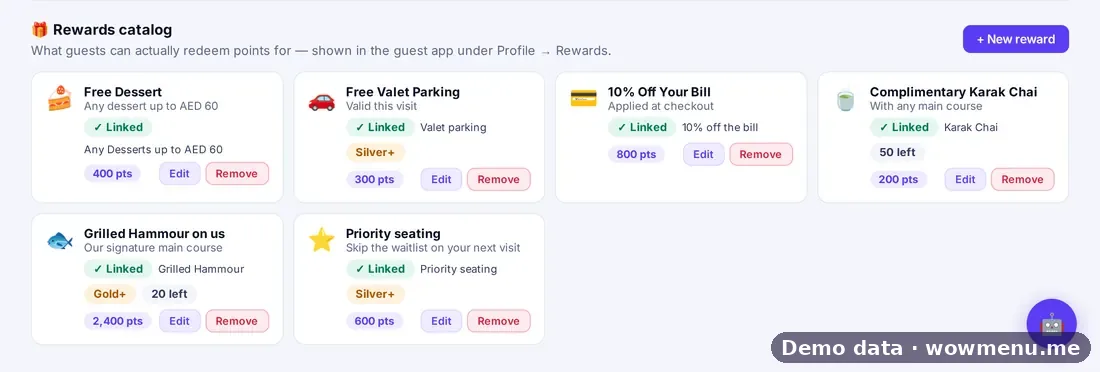
Rewards the owner offers for points become coupons the guest can see, use at the table and track, including when and on which order each was used.
Key benefits
What Coupon Code Management & Distribution Tracking does for your restaurant
Batch generation and per-code tracking
Create codes in batches and follow each one, including bulk revoke and CSV export.
Seven distribution channels
Flyer, social, influencer, SMS, email, partner referral and staff-issued, with a sent to redeemed funnel.
Usage history guests can see
A coupon is marked used with the date and the order.
How it works
Create the offer in Campaigns
Choose a campaign type and decide whether it applies automatically or needs a code.
Generate codes
Make a batch, and revoke codes in bulk if you need to.
Distribute by channel
Send through the channels you use and tag each batch.
Track redemptions
Follow each channel from sent to redeemed, and export to CSV.
Frequently asked
Can I generate many codes at once?
Yes. Codes can be generated in batches, tracked individually, revoked in bulk and exported to CSV.
Which channels can I distribute through?
Flyer, social, influencer, SMS, email, partner referral and staff-issued, with a funnel from sent to redeemed.
Does WowMenu integrate with ad platforms?
No. Audience export files for Meta, TikTok, Snapchat and Google are files you upload yourself.