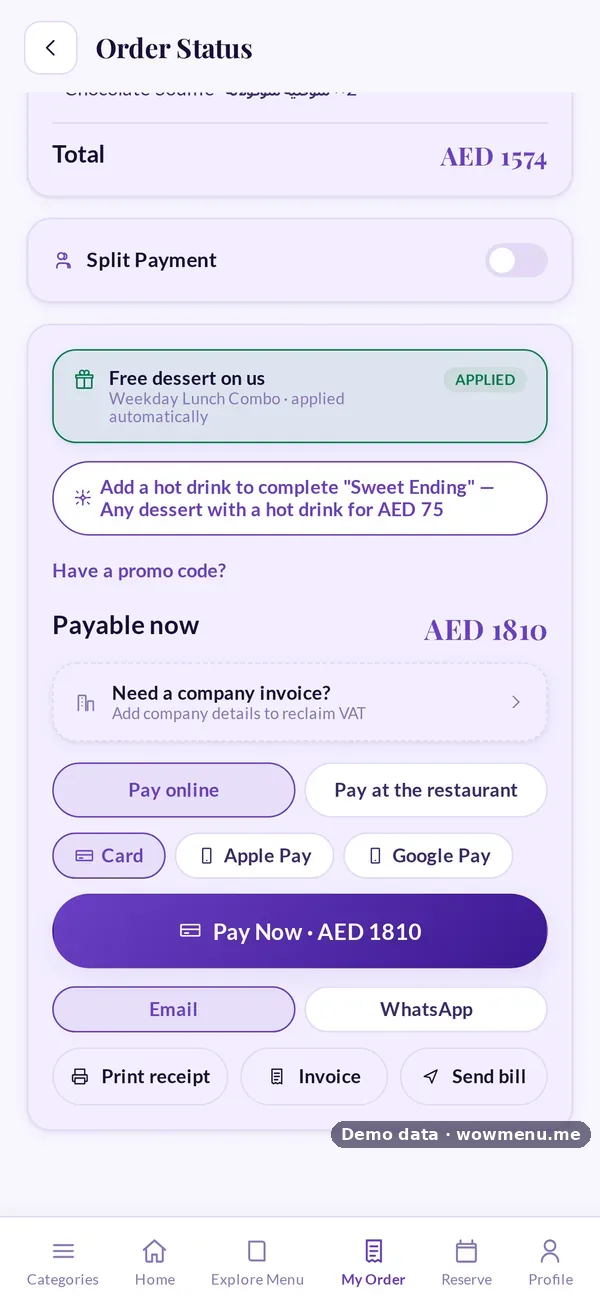
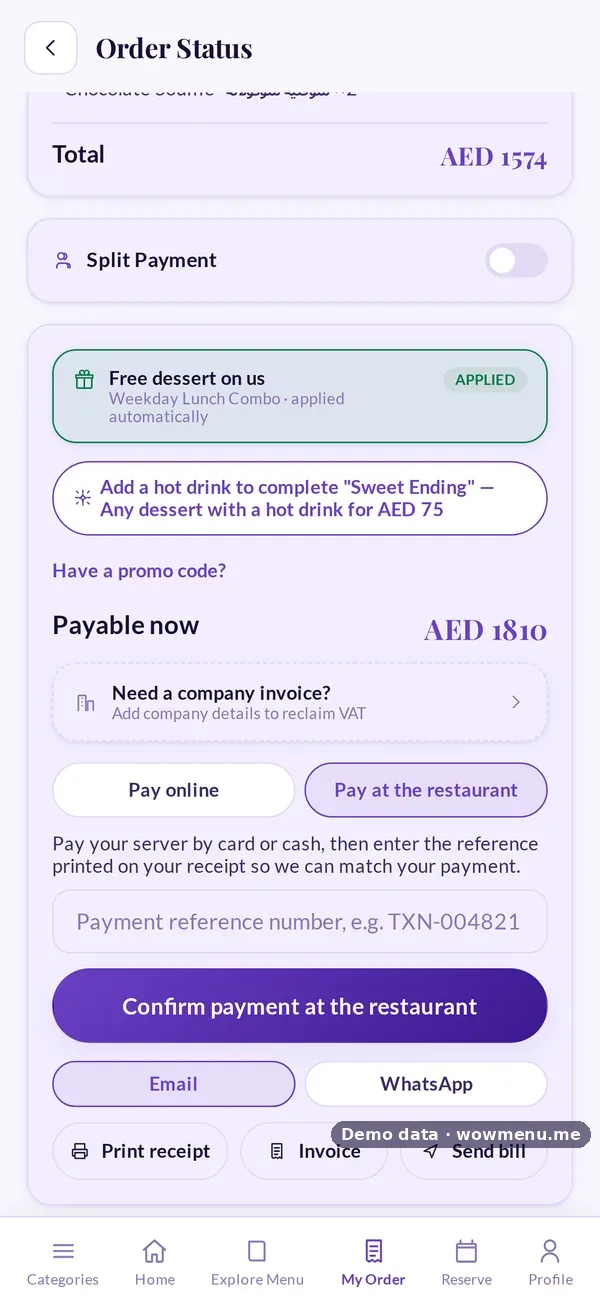
Guests settle the bill from their phone without waiting for a server, and you still control how it is paid. They can pay online by card, Apple Pay or Google Pay through a PCI-DSS Level 1 certified payment gateway, and WowMenu never stores card numbers. Or they can choose to pay at the restaurant: staff are notified and the receipt reference is captured, so the payment can be matched to the bill.
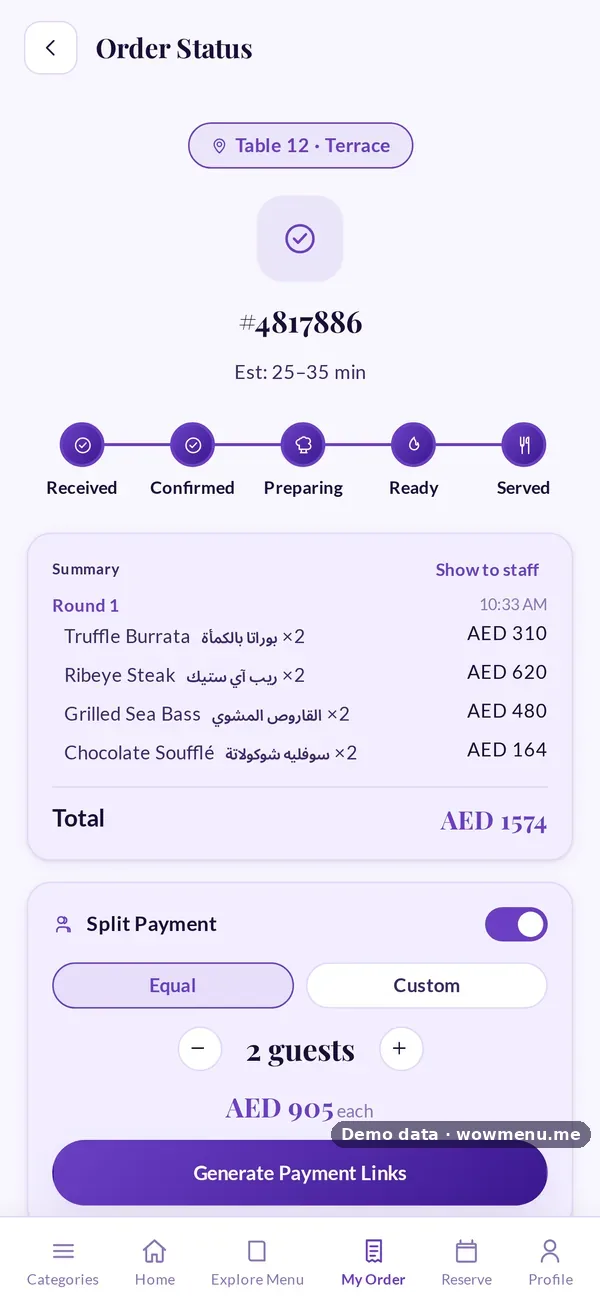
Bills can be split equally or by custom amounts, with a payment link for each guest. Guests can add a company name and tax ID (a TRN or VAT number) at payment for a proper business invoice. Receipts go by email or print on a thermal printer. Offers and promo codes are applied before VAT and service charge, and tips follow the amounts you suggest, shared across the team or paid to the assigned waiter, as you choose.
Card, Apple Pay and Google Pay depend on the payment gateway enabled for your market. Payment processing runs at standard gateway rates with no WowMenu markup.
How it connects
What the owner sets up or sees in the portal, and what the guest sees in the QR menu. Screens are from the demo restaurant, Maison Lumière, with demo data.
The guest pays online or at the restaurant, and the owner gets the invoice
Online payments and pay-at-the-restaurant confirmations both become invoices the owner can search, filter and export, with the payment method and the source of the order.

Key benefits
What Payment Integration does for your restaurant
Card, Apple Pay and Google Pay
Guests pay online through a PCI-DSS Level 1 certified gateway. WowMenu never stores card numbers.
Pay at the restaurant, with a reference
Guests who prefer to settle in person choose pay at the restaurant. Staff are notified and the receipt reference is captured, so the payment can be matched.
Split bills with payment links
Split equally or by custom amounts, and send each guest their own payment link.
Company invoices, receipts and tips
Guests add a company name and tax ID at payment. Receipts go by email or thermal printer, and tips follow your suggested amounts.
How it works
Guest opens the bill
The order screen shows what is owed, with offers applied before VAT and service charge.
Guest chooses how to pay
Card, Apple Pay or Google Pay online, or pay at the restaurant. Splitting the bill is available from the same screen.
Online payment or a payment reference
Online payments go through the gateway. Pay at the restaurant notifies staff and captures the receipt reference so it can be matched.
Receipt and records
A receipt is issued, an optional company invoice carries the tax ID, and the order is marked paid in your analytics.
Frequently asked
Are there transaction fees?
Payment processing runs at standard gateway rates, and WowMenu does not add a markup or take a commission on orders.
What does pay at the restaurant mean?
The guest chooses to settle in person. Staff are notified and the receipt reference is captured, so the payment can be matched to the bill.
Can guests split the bill?
Yes, equally or by custom amounts, with a payment link for each guest.
Can a guest get an invoice for their company?
Yes. At payment they can add a company name and tax ID, such as a TRN or VAT number, for a business invoice.
Are Apple Pay and Google Pay available in every market?
Availability depends on the payment gateway enabled for your market. Ask us about your country when you book a demo.